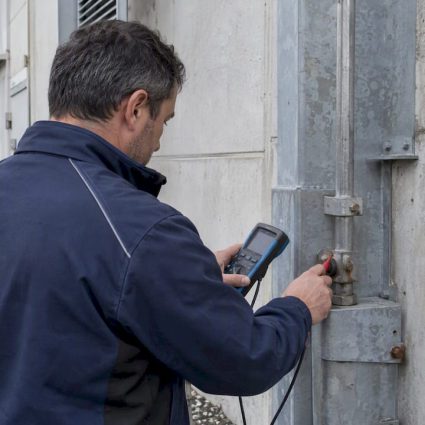
Engineers: Read Test Sheets Before Buying an Ethernet Surge Protector

For outdoor PoE cameras and access points, choose an IP67-rated inline surge protective device (SPD) rated for the correct PoE class, bonded to the building earthing system with the shortest possible ground conductor. For indoor patch panels and building entry points, a DIN-rail or rack-mounted SPD coordinated with the site’s main power and telecom protection is the right call. Before buying anything, ask the supplier for a test sheet and declaration of conformity, then check the device against your site’s lightning risk assessment.
TL;DR:
- Outdoor PoE devices and entrance cables need IP67-rated surge protectors with proper grounding and correct PoE class ratings for effective lightning and transient surge prevention.
- Datasheets list surge current ratings In and Iimp, but proper installation and a well-bonded earthing system are critical for actual device performance on site.
- Installing SPDs with short, straight ground connections and coordinating their placement with the building’s overall lightning protection system minimizes residual voltage and failure risks.
- Surge protection should be based on a site-specific risk assessment and technical study, not just device specifications, to ensure protection aligns with actual surge exposure.
- Regular maintenance, visual inspections, and verification of grounding integrity are essential, as a device that absorbed a surge may no longer work effectively without proper checks.
Table of Contents
- What an Ethernet surge protector does and when you need one
- Reading the datasheet: what the specs actually mean
- Installation, earthing and coordination with site protection
- Matching SPD choice to PoE and outdoor conditions
- Maintenance, testing and knowing when to replace
- A system-level checklist before you specify anything
- Why datasheet numbers are not the whole story
- Getting your network protection specified and installed correctly
- Sources
- FAQ
What an Ethernet surge protector does and when you need one
An Ethernet or RJ45 surge protective device limits the voltage a transient surge puts on a data line and diverts the surge current to earth before it reaches switches, cameras or servers. Most devices offer two protection modes: line-to-line, which clamps voltage differences between conductor pairs, and line-to-ground, which shunts current to the earthing system. IEC 61643-21:2025 is the standard that governs SPDs connected to telecommunications and signaling networks, including lines carrying Power over Ethernet.
You typically need one of these devices in a handful of recurring situations:
- Outdoor cameras, access points or PoE devices with cabling that runs outside a building envelope.
- Cable entry points where a run crosses from outdoor to indoor space, since that transition is where induced surges usually enter the network.
- Long horizontal or backbone runs in industrial or campus settings, where cable length increases exposure to induced transients.
- Sites with an existing lightning protection system, where unprotected data lines create a bypass around the building’s earthing scheme.
The common thread is exposure. A patch cable running six feet between a switch and a desktop rarely needs protection. A hundred meters of outdoor cable feeding a rooftop antenna almost always does.
Reading the datasheet: what the specs actually mean
Datasheets bury the numbers that matter under numbers that do not. Two current ratings show up because they test different threats: In, measured with an 8/20 microsecond waveform, represents repeated lower-energy surges such as induced transients, while Iimp, measured with a 10/350 microsecond waveform, represents the much higher energy of a direct or near lightning strike. A device rated only for In is not a substitute for one rated for Iimp on exposed runs.

Uc, the maximum continuous operating voltage, and the clamping voltage (the residual voltage let through during a surge) both need to sit safely below what your connected equipment can tolerate, particularly on PoE lines carrying working voltage across the same pairs as data. Bandwidth and impedance matter just as much: a 100 ohm impedance match and a throughput rating suited to your network speed (1G, 2.5G or 10G) keep the SPD from becoming the weak link in an otherwise fast link.
A supplier’s datasheet is not a substitute for a test report. One example of an outdoor-rated device shows the kind of detail to expect:
an IP67-rated PoE++ Ethernet surge protector supporting 2.5 Gbps throughput and PoE++ up to 95 watts lists a nominal discharge current at levels typical for such devices and a clamping voltage tested under standardized conditions, figures that only mean something when tied to a named test method.
Mechanical specs matter too: IP rating and operating temperature range for outdoor units, cable gland type for sealing entries, and whether the housing is inline or built for a 35 mm DIN rail. Always request the manufacturer’s test sheet and declaration of conformity for the exact model rather than relying on marketing copy, since IEC 61643-01:2024 sets updated general requirements that older datasheets may not reflect.
Installation, earthing and coordination with site protection
An SPD only works as well as the ground path behind it. A device with excellent published ratings still leaves residual voltage on connected equipment if its earth bond is long, thin or shared with a noisy circuit. INRS guidance on lightning protection installation flags installing a protective device in isolation, without coordinating it with the rest of the site’s earthing and conductors, as one of the most common mistakes on real installations.
A short sequence keeps installations sound:
- Confirm the building or site has a single, well-bonded earthing reference before adding any SPD to it.
- Mount the SPD with a clear line-in, device-out orientation, and keep the ground conductor as short and straight as the run allows.
- Avoid coiling excess cable near the device, since a loop can behave like an inductor and undermine the clamping performance.
- Position the Ethernet SPD relative to the site’s main power and telecom SPDs according to the coordination principles in IEC 61643-22, rather than treating it as a standalone purchase.
- Have the installation checked against the site’s broader lightning protection design, including down conductors and equipotential bonding.
Pro Tip:Treat the ground wire length as a spec in its own right: a few extra feet of thin conductor can undo the protection a well-rated SPD was bought to provide.
Contractors who specialize in full-site lightning protection catch these coordination issues before they become failures, because they design the earthing and bonding scheme first and select devices to fit it, rather than the other way around.
Matching SPD choice to PoE and outdoor conditions
Power over Ethernet changes what a safe Uc rating looks like, since the SPD has to pass working voltage across the same pairs it protects. A PoE++ device drawing up to 95 watts needs a pair-to-pair Uc rated for that continuous load, not just a pair-to-earth rating that looks adequate on paper. Check both figures before assuming a device is compatible.
Outdoor installations add their own requirements on top of the electrical ones:
- An IP67 enclosure and properly sealed cable glands keep moisture and dust out of exposed junctions.
- An operating temperature range wide enough for the local climate matters more on rooftops and exterior walls than in a server room.
- A gas discharge tube (GDT) rated in kilo amps gives a sense of surge current capacity for genuinely exposed runs, distinct from the lower-energy In rating.
- For backbone cabling feeding multiple devices from a rack, a DIN-rail industrial SPD tied into the rack’s earth bar is usually a better fit than several inline units scattered along the run.
Maintenance, testing and knowing when to replace
A surge protector that has absorbed a major transient may look fine and still offer no protection. A supplier’s test sheet and declaration of conformity should list the standards it was tested against, the protection modes covered, supported PoE class, maximum throughput and the electrical parameters measured, the same figures worth checking again during periodic verification.
Watch for a handful of practical signals:
- Visible mechanical damage to the housing, connectors or cable glands.
- A gas discharge tube that has visibly triggered or a diagnostic contact showing a fault state, on devices that include one.
- Devices with remote alarm contacts reporting a fault to a building management system, which is worth using where the SPD protects critical equipment.
- Inspection intervals set to match the facility’s broader preventive maintenance schedule, rather than left to chance until a failure shows up on the network.
A system-level checklist before you specify anything
A reliable installation follows a sequence, not a shopping list: a lightning risk assessment, then SPD class and mounting selection, then earthing and equipotential bonding coordination, then supervised installation, then verification and certification. Buying a well-rated device without that sequence is how sites end up with SPDs that pass a datasheet check but fail on site. A full lightning protection system application treats the Ethernet SPD as one component in that chain rather than the whole solution.
Why datasheet numbers are not the whole story
The instinct on a project like this is to compare In and Iimp ratings across two or three products and buy the highest number. That instinct misses the point. A device with an outstanding surge current rating and a poorly bonded ground connection will underperform a modest device installed correctly, and most of the failures on real sites trace back to earthing and coordination rather than an underrated component.

The conventional advice, buy the SPD with the biggest kA figure, treats the device as the whole answer. It is one part of a chain that includes the building’s earthing system, the position of other SPDs on power and telecom lines, and how the installation is verified afterward. A reader specifying protection for a single camera or a whole campus gets more value from requesting a proper test sheet and checking earthing continuity than from chasing marginal gains in a clamping voltage spec.
Prioritize the site assessment first, the datasheet second, and treat the purchase itself as the easy part.
Getting your network protection specified and installed correctly
Specifying an Ethernet SPD in isolation is where most of the coordination problems described above start. Indelec’s lightning protection services begin with a risk assessment (ARF) and technical study (ET) that map where surge exposure actually exists on a site, then carry through to installation and ongoing verification and maintenance.

That sequence matters because it catches the earthing and coordination issues a standalone SPD purchase cannot fix on its own:
- A risk assessment identifies which cable runs and entry points actually need protection, rather than protecting everything or nothing.
- The technical study specifies SPD classes and mounting positions coordinated with the site’s existing earthing and bonding.
- Installation is supervised so ground bonds stay short and devices sit correctly relative to the site’s main power and telecom protection.
- Verification and maintenance confirm the system still performs after the first major surge event, not just at commissioning.
For a facility that needs its network protection specified as part of a broader lightning protection plan, our services overview is the place to start a conversation about scope and next steps.
Sources
- IEC 61643-21:2025 | IEC
- INRS — guidance on correct lightning protection installation
- Outdoor 2.5G PoE++ Ethernet Surge Protector – TRENDnet TI-OS300
FAQ
What are the three main types of surge protector?
Surge protective devices are generally grouped by where they sit in the protection chain: Type 1 devices handle direct lightning current on the main incoming supply, Type 2 devices protect distribution boards and equipment from induced surges, and Type 3 devices give localized protection close to sensitive equipment. Ethernet SPDs are typically specified and tested under standards for telecom and signaling lines rather than these power-side type classes, so check IEC 61643-21 for the equivalent data-line requirements.
What shielding does an Ethernet cable need?
Shielding requirements depend on the installation environment and the level of electromagnetic exposure on site, so there is no single answer that applies everywhere. In practice, the choice of shielded versus unshielded cable is a separate decision from surge protection, though a well-bonded shield can support the overall earthing scheme an SPD relies on.
Is a surge protector legally required for network equipment?
Requirements vary by jurisdiction, building type and the outcome of a site’s lightning risk assessment rather than applying as a blanket rule. Where a site already has, or requires, a lightning protection system, integrating surge protection on exposed data lines is a normal part of a coordinated risk assessment and technical study.
How can I get Ethernet ports and Wi-Fi throughout a whole building?
Running structured cabling with RJ45 outlets to each area, backed by a central switch, gives the most reliable coverage, with wireless access points added where cabling is impractical. Any outdoor-facing runs or building entry points in that cabling plan are exactly where an Ethernet surge protector, rated for the relevant PoE class and bonded to the building’s earthing system, becomes worth specifying.